Free memory honestly
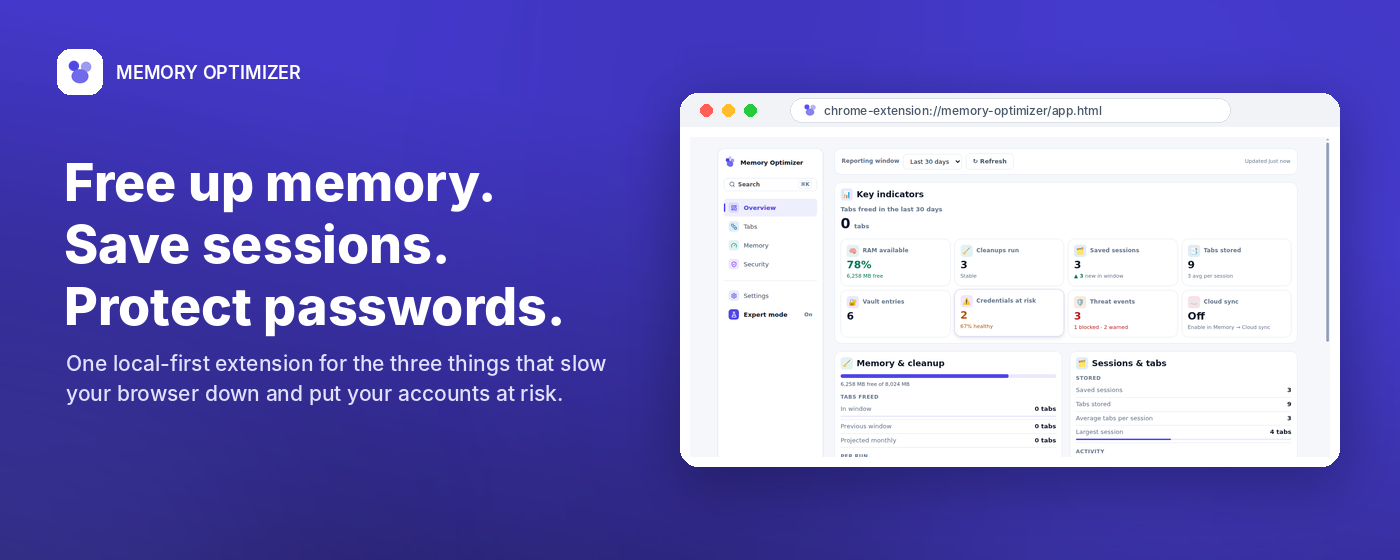
See what is holding tabs open and discard eligible idle background tabs only when the user starts cleanup.
Chrome Extension
Free browser memory, save and restore whole tab sessions, and keep credentials in a local encrypted vault with optional autofill safety checks.
Local
storage
AES
vault
Runtime
permissions
See what is holding tabs open and discard eligible idle background tabs only when the user starts cleanup.
Save named and tagged browser sessions, search them later, and restore a complete working set in one click.
Store credentials locally under a master password with password health and autofill risk checks.
System Screenshots
These five Chrome Web Store screenshots show the actual product areas users need to understand before installing.
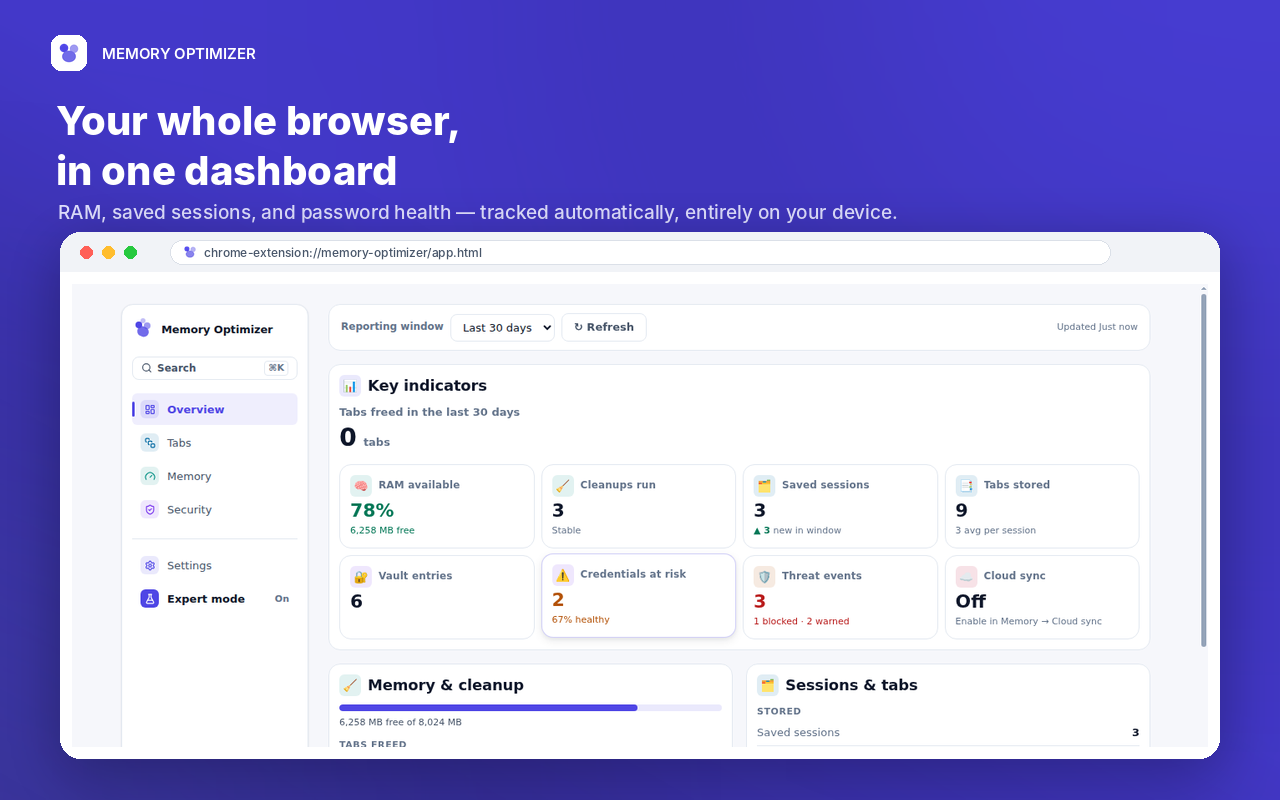
A command center for RAM status, saved sessions, vault health, cleanup history, and security signals.
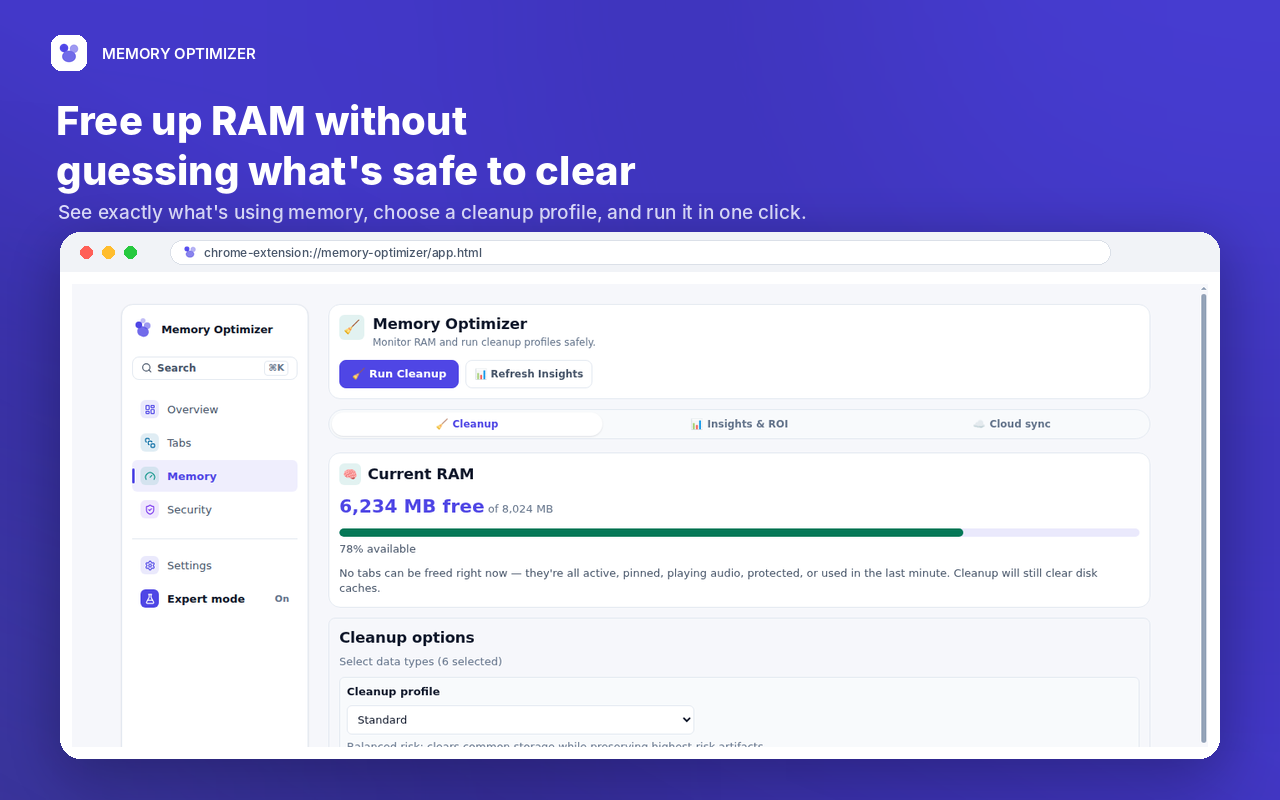
User-triggered cleanup discards idle background tabs and clears selected browser data categories.
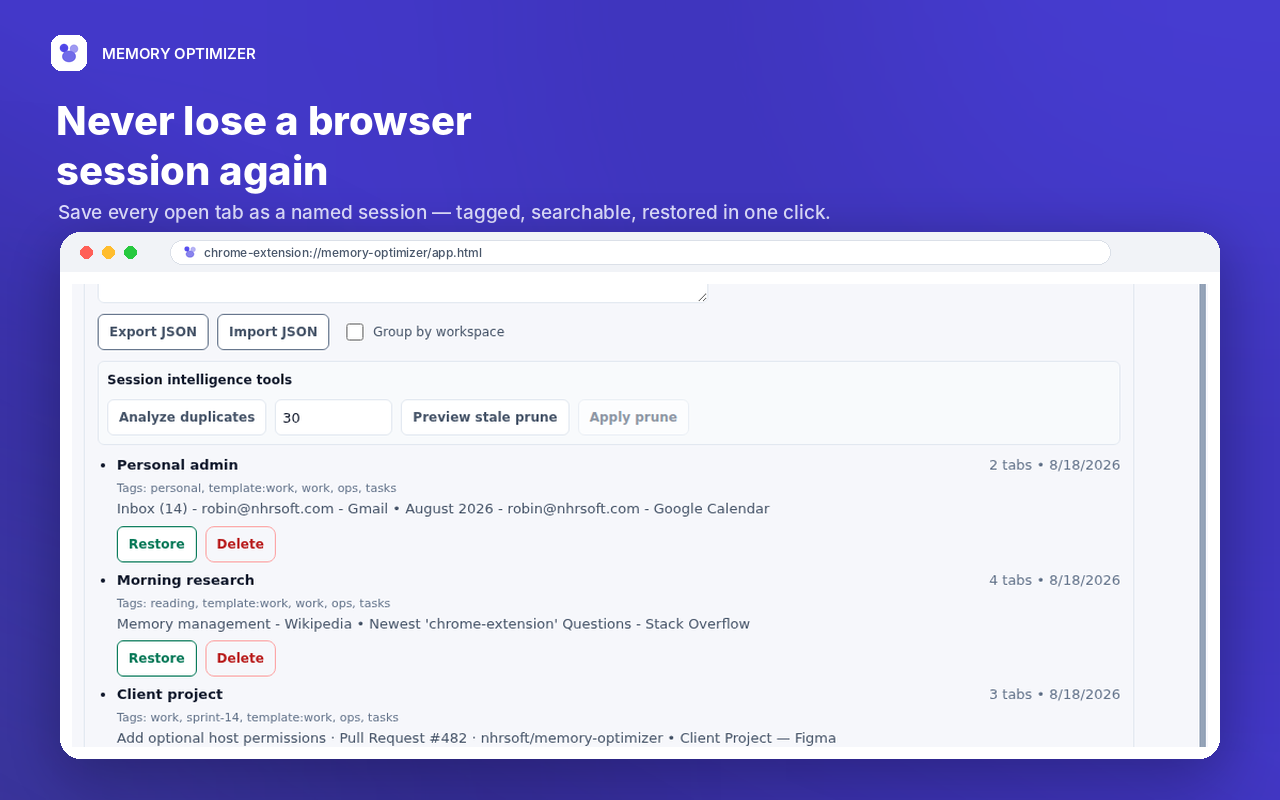
Named sessions make it easy to save a research window, restore work later, and avoid duplicate sets.
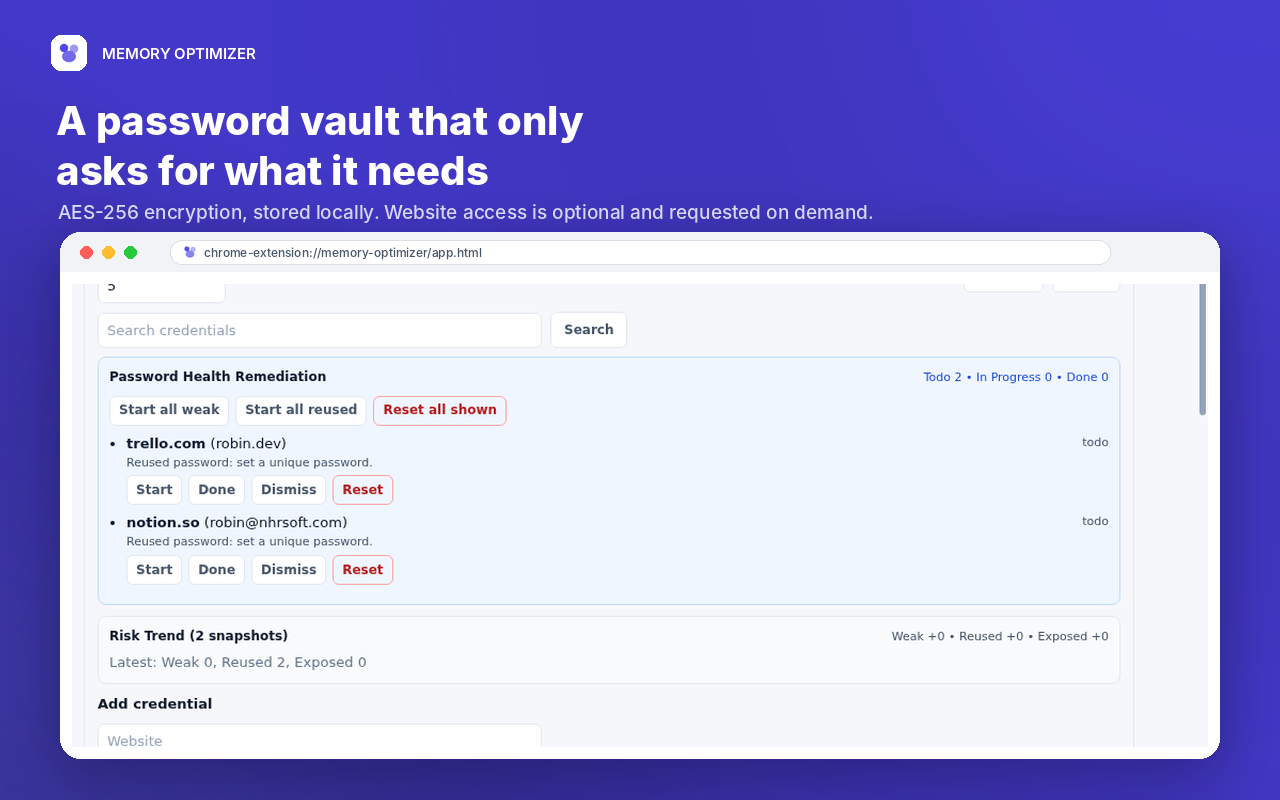
Credentials are stored locally in an encrypted vault under a master password controlled by the user.
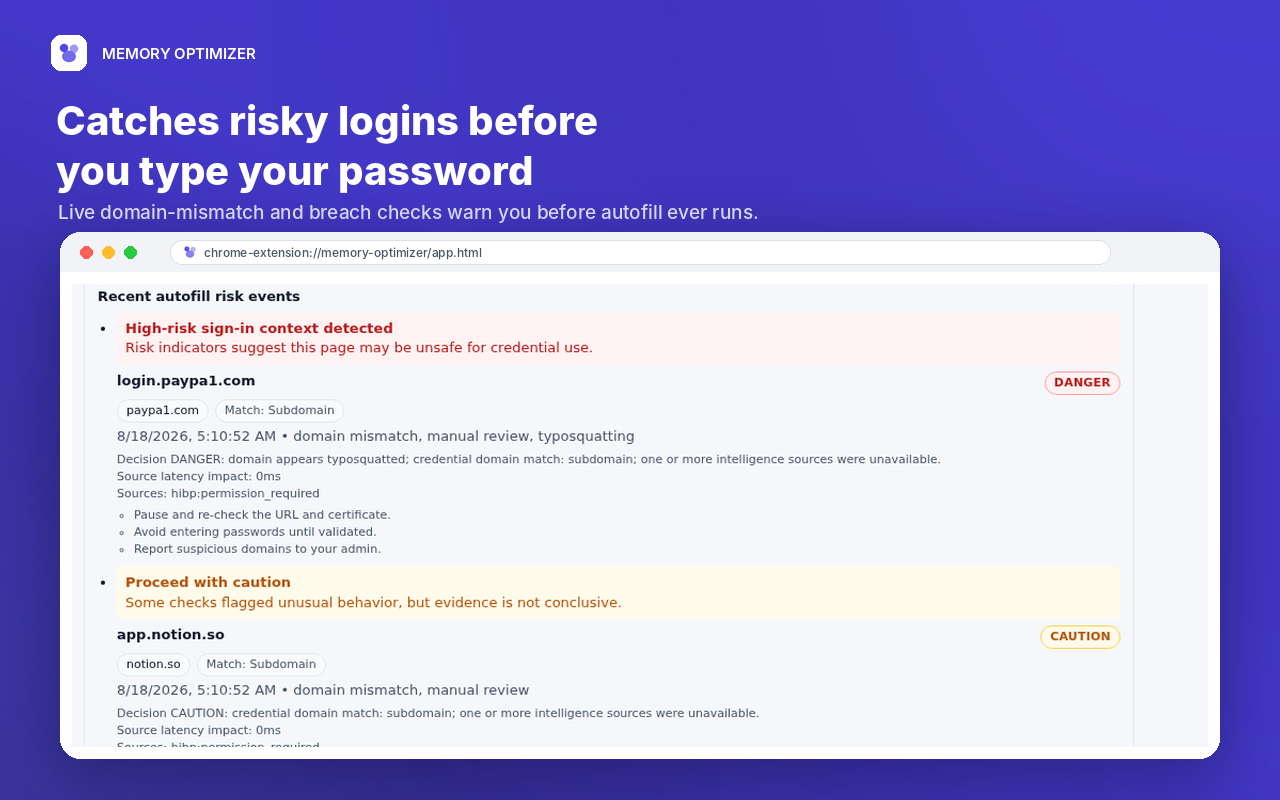
Autofill risk checks display Safe, Caution, Block, or Danger verdicts before credentials are used.
Permission Model
Memory Optimizer asks for sensitive host permissions only when a user enables the related feature, such as autofill or an optional online risk check.
Cleanup runs when the user starts it, not as a hidden background action.
Autofill site access is requested per site when the user turns it on.
Safe Browsing, HIBP, and RDAP checks can be enabled independently.
Sessions, settings, history, and vault entries stay in browser storage by default.